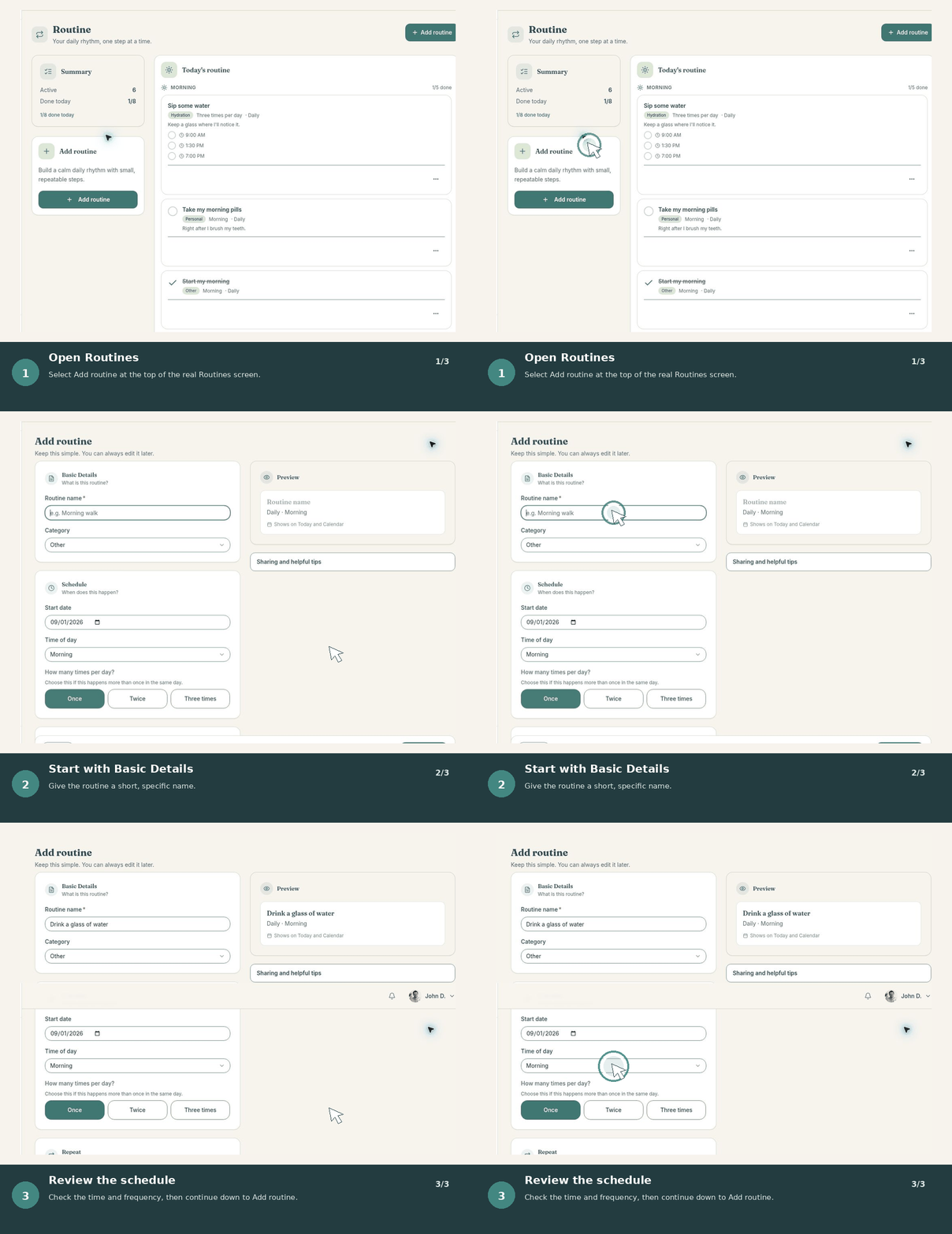
Before you start
Decide whether you are setting up BranchDaily for your own daily structure or joining as a trusted support person. You can add or change support connections later.
Start smallYour first useful setup only needs one routine, one reminder, or one appointment. Add more after the first day feels comfortable.
Create your account
- Open BranchDaily and choose Create account.
- Enter your name, email address, and a strong password you do not use elsewhere.
- Confirm your email if BranchDaily asks you to verify it.
- Sign in and follow the short onboarding prompts.
Choose your starting role
Managing your own day
Choose the primary experience when you want to organize your routines, reminders, appointments, check-ins, and trusted support.
Supporting someone else
Choose the support experience when someone has invited you to their Support Circle. Your access depends on the permissions they give you.
Set up your first day
- Add one routine you want to repeat, such as a morning or evening task.
- Add one time-sensitive reminder or appointment.
- Review the Today page and look for your next clear step.
- Complete a check-in only if it is useful to you. Sharing is optional.
Add trusted support when you want it
You do not need a support member to begin. When you are ready, open your Support Circle, invite someone you trust, and choose what they can see or help manage.
Review permissions carefully. You remain in control and can change or remove access later.